 FS PanelPad
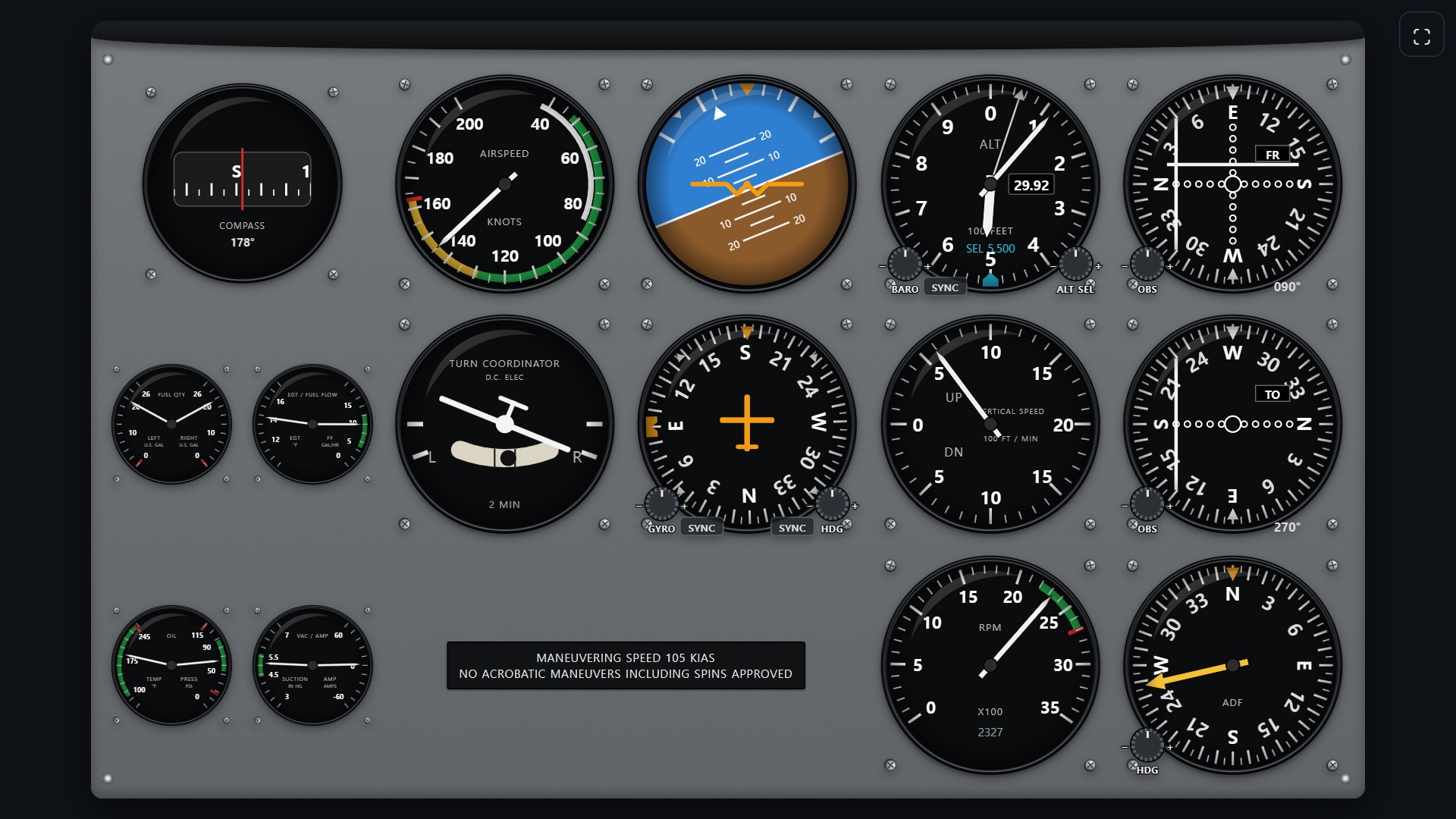
Gauges계기판
The classic six-pack plus engine, fuel and navigation instruments, with working baro, heading bug and OBS knobs.기본 6계기와 엔진·연료·항법 계기. 기압, 방향 표시, OBS 노브까지 실제로 돌아갑니다.
For Microsoft Flight Simulator 2024Microsoft Flight Simulator 2024용
Live gauges, autopilot, radios and switches on an Android tablet next to your screen. Turn dials and flip switches with your finger instead of hunting for them with the mouse. 화면 옆 안드로이드 태블릿에 실시간 계기, 오토파일럿, 라디오, 스위치를 띄웁니다. 마우스로 찾지 말고 손가락으로 바로 돌리고 누르세요.
One-time purchase · No subscription · Try every screen free in demo mode first1회 구매 · 구독 없음 · 데모 모드로 모든 화면을 먼저 무료로 체험
Four ready-made screens that follow the sim in real time, plus your own button panels.시뮬레이터와 실시간으로 맞춰 움직이는 네 가지 화면, 그리고 직접 만드는 버튼 패널.
The classic six-pack plus engine, fuel and navigation instruments, with working baro, heading bug and OBS knobs.기본 6계기와 엔진·연료·항법 계기. 기압, 방향 표시, OBS 노브까지 실제로 돌아갑니다.
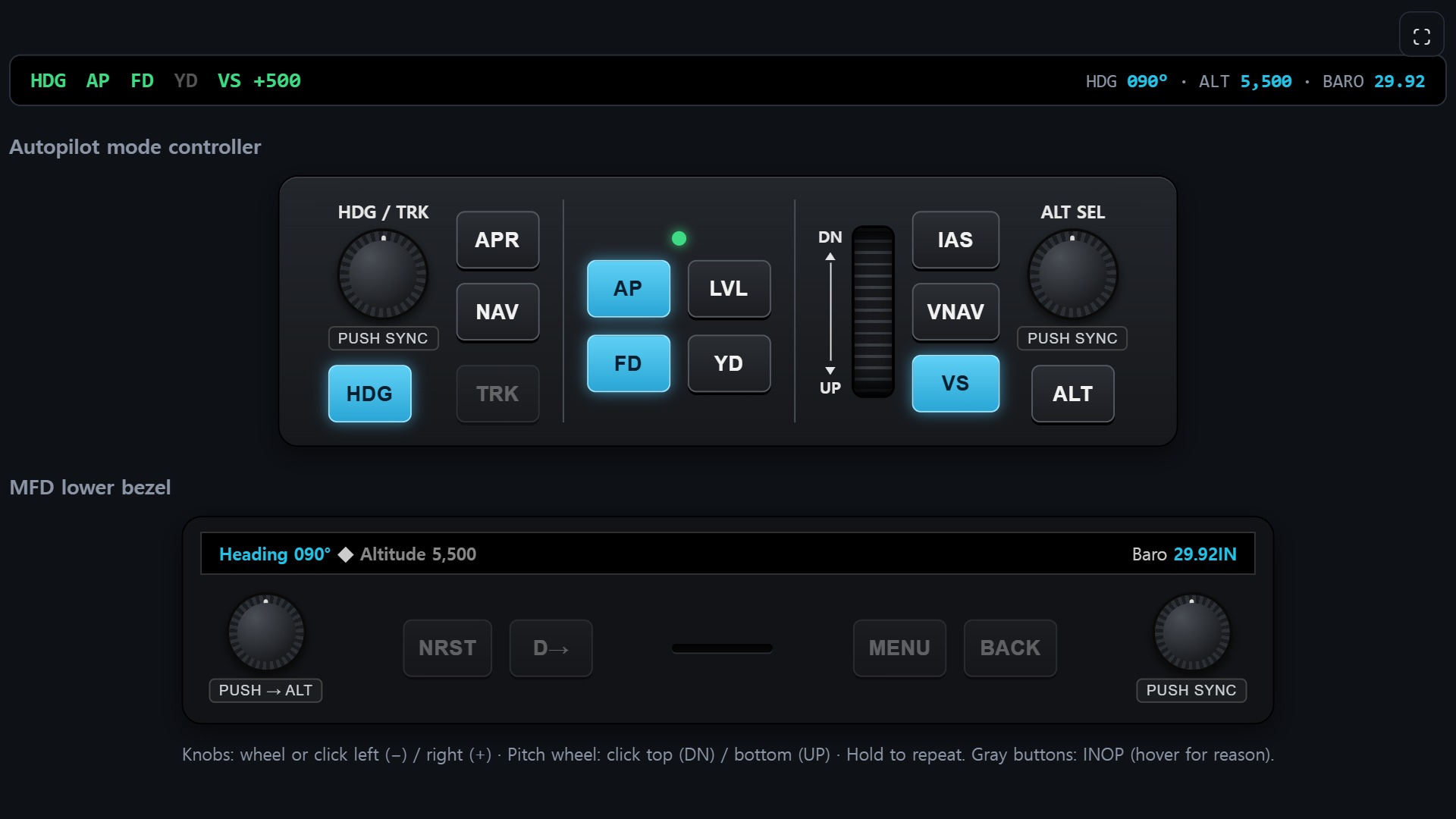
Mode buttons and selectors for heading, altitude, vertical speed and navigation, with the sim's state lit up.방향·고도·상승률·항법 모드 버튼과 선택 노브. 현재 켜진 모드가 그대로 표시됩니다.
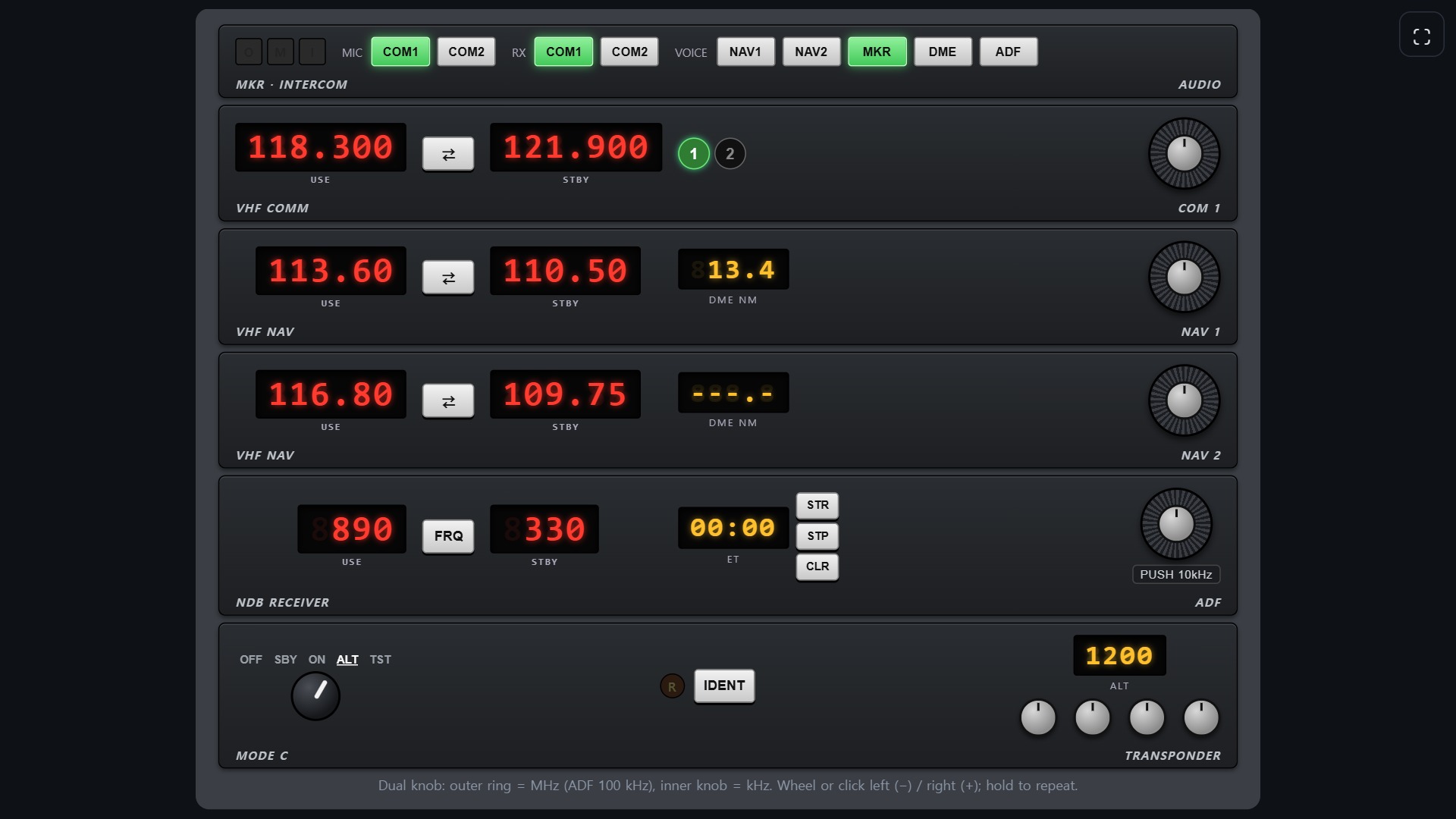
COM and NAV frequencies with ACTIVE ↔ STBY swap, transponder code and mode, tuned with big touch dials.COM·NAV 주파수와 ACTIVE ↔ STBY 전환, 트랜스폰더 코드·모드를 큰 다이얼로 맞춥니다.
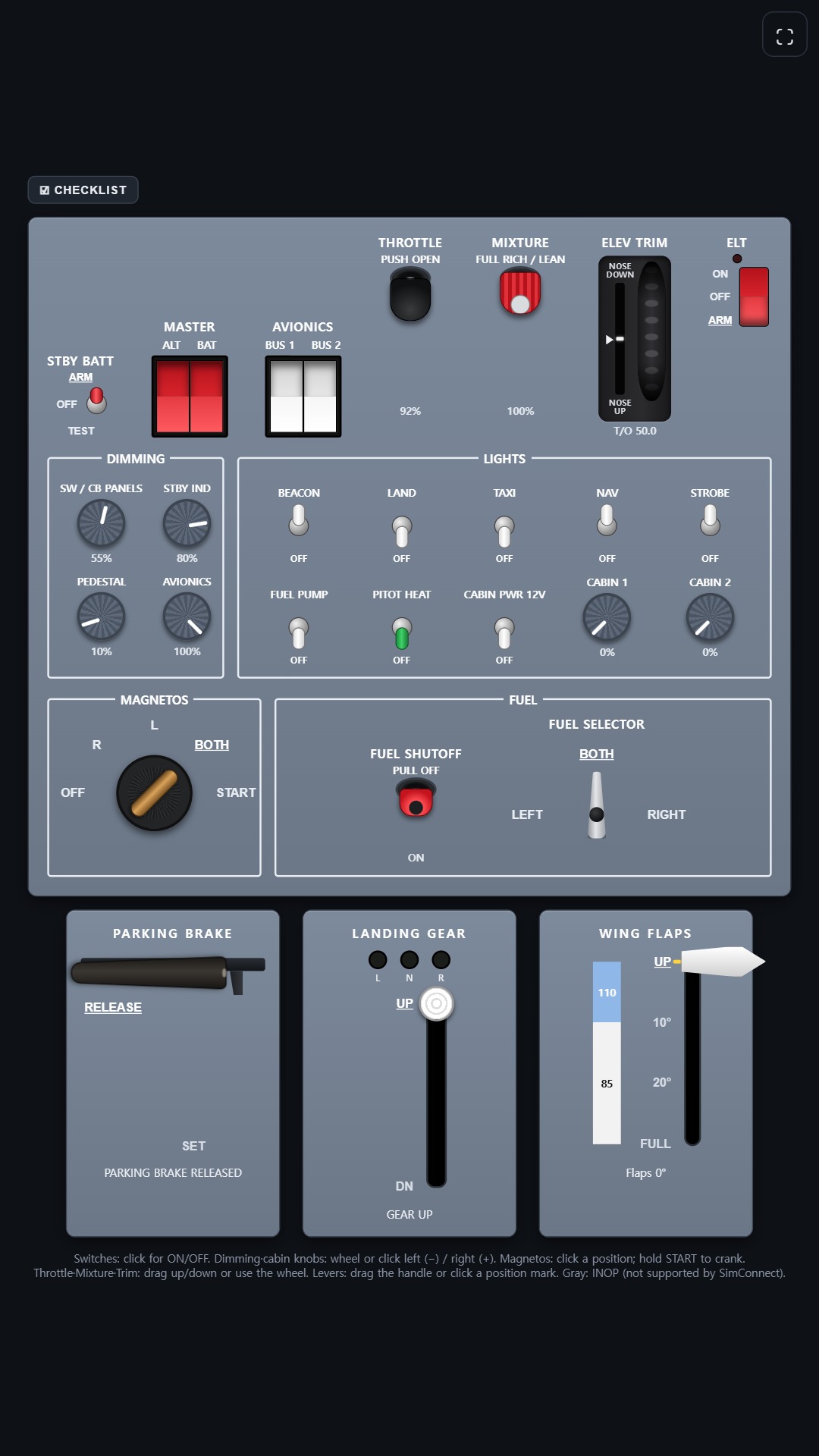
Master, avionics, lights, fuel pump, gear and flaps as real-looking toggles that always match the sim.마스터, 항전, 조명, 연료 펌프, 기어, 플랩 스위치. 시뮬레이터 상태와 항상 같게 움직입니다.
A small bridge program on your PC talks to the sim; the tablet connects to it over your home Wi-Fi. Nothing goes through the internet.PC의 작은 브리지 프로그램이 시뮬레이터와 대화하고, 태블릿은 집 와이파이로 브리지에 연결합니다. 인터넷을 거치지 않습니다.
Pay once, keep it. Updates are included.한 번 사면 계속 씁니다. 업데이트 포함.
Checkout is handled by Lemon Squeezy, our reseller, which charges local sales tax/VAT where required.결제는 판매 대행사 Lemon Squeezy가 처리하며, 필요한 경우 현지 세금(부가세)이 더해질 수 있습니다.
The panels use the sim's standard variables and commands, which most aircraft support. Some add-on aircraft use their own systems, and a few controls may not respond there. Try the demo, and contact us if something you need doesn't work.시뮬레이터의 표준 변수와 명령을 쓰므로 대부분의 기체에서 동작합니다. 자체 시스템을 쓰는 일부 애드온 기체에서는 몇몇 조작이 반응하지 않을 수 있습니다. 필요한 기능이 안 되면 알려 주세요.
Not yet. FS PanelPad is Android-only for now.아직 없습니다. 지금은 안드로이드 전용입니다.
On the old device, tap "Deactivate license on this device" on the connect screen, then enter the same key on the new one. One key works on up to 3 devices at a time. Lost the old device? Email us and we'll reset it.이전 기기의 연결 화면에서 "이 기기 라이선스 등록 해제"를 누른 뒤 새 기기에 같은 키를 넣으면 됩니다. 키 하나로 동시에 3대까지 쓸 수 있습니다. 이전 기기를 잃어버렸다면 이메일로 알려 주세요.
Only to activate your key and to recheck it now and then. Flying works over your local Wi-Fi, and the app keeps working offline for 14 days after the last check.키를 등록하고 가끔 다시 확인할 때만 필요합니다. 비행 중 연결은 집 와이파이로만 하고, 마지막 확인 뒤 14일 동안은 인터넷 없이도 씁니다.
Selling directly keeps the price low. The APK is signed by us; Android asks once to allow installs from your browser or file manager.직접 판매해서 가격을 낮췄습니다. APK는 개발자가 서명했고, 안드로이드가 처음 한 번 브라우저(또는 파일 관리자)의 설치 허용을 묻습니다.
Please try the free demo first. See the refund policy for details.먼저 무료 데모로 확인해 주세요. 자세한 내용은 환불정책을 보세요.